
Online Help
Software Download Instructions
- If you want to run trial version of the software then download the software from our webpage https://www.ibusinessutilities.com
- If you want to use the full version of the software, download the software from the link provided after purchasing the full version of the software.
Download Steps:
- Open download link of the software.
- Click on “Save” button to save setup file of the software.
• You can save this file at any place in the computer system according to your choice. - After saving the file, a “File Download” window will be appeared.
- When downloading of the software is completed, a message appears “Download Complete”.
- Click on “Close” button to close the window.
Installation Steps:
Double click on Setup File of the software and click on “Run” button.
The installation wizard screen appears that will guide you to install the software.
Step1-> On clicking “Run” button, the following screen will be appeared:
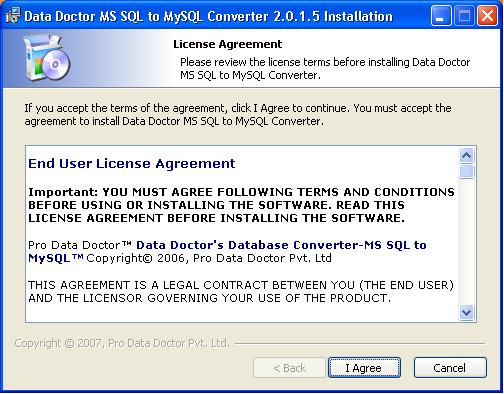
This screen provides the information about End User License Agreement terms before installing MSSQL to MySQL Database Converter Software.
Click on “I Agree” button for further process of software installation.
Introduction

Software Installation Guide
Software Version Information
Describing the Software
Working with Software
License and Ordering
FAQs and Troubleshooting
Getting Assistance
Quick Reference