
How to Create Bulk Barcode Labels
Barcode Label Maker Software lets you generate barcode labels in bulk using following series:- Generate Random Series
- Generate Sequential Series
Generate Random Series
You can easily generate random series of barcode labels in just few steps:
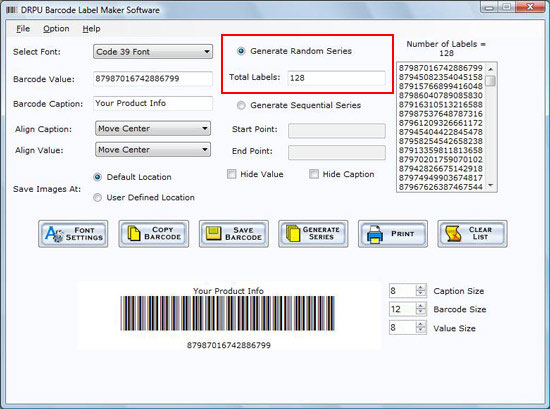
Specify the number of labels to generate the random barcode series as shown in the following figure:
1. Once you select “Generate Random Series” option, following screen appears:
- State the “Number of Labels” to generate the random barcode series.
Generate Sequential Series
You can generate the sequential series of Barcode labels in just few easy steps:
- Specify the “Start Point” and “End Point” to generate sequential series as shown in the figure below:
1. On clicking “Generate Sequential Series” option following screen appears:
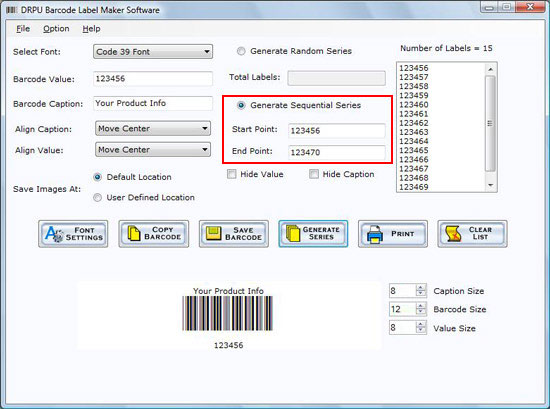
Note: Just check the Hide Value and Hide Caption check box to generate barcode without specifying value and caption.
Introduction

Software Installation Guide
Software Version Information
Describing the Software
Software Interface Description
Working with Software
License and Ordering
FAQs and Troubleshooting
Getting Assistance
Quick Reference