
Uninstallation Instructions
| 4. | After clicking “Remove” button, the Uninstallation Wizard screen will be appeared which will guide you to uninstall the software. |
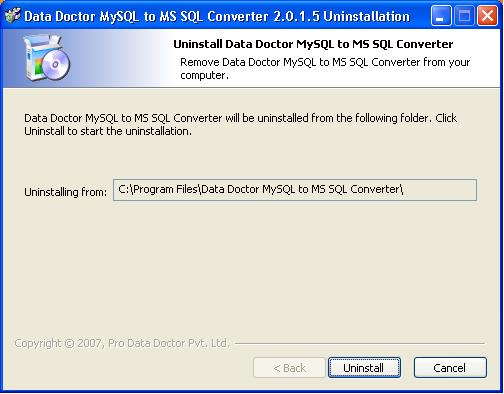
Click on “Uninstall” button to continue the Uninstallation process.
| 5. | On clicking “Uninstall” button, the following screen will be appeared: |
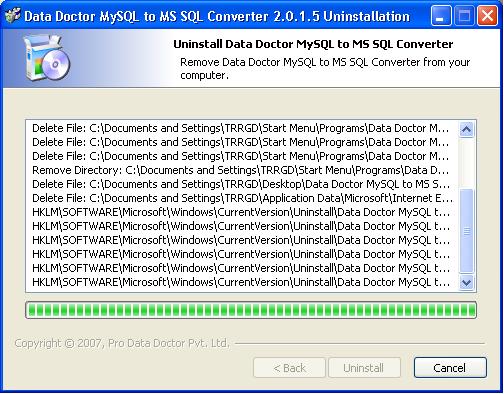
This screen will display the Uninstallation of application files.
Click on “Finish” button to finish the Uninstallation process.
| 6. | After clicking “Finish” button, the Uninstallation Complete screen will be appeared: |
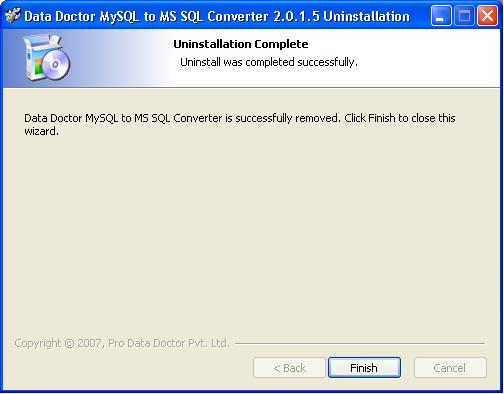
Click on “Finish” button to complete the Uninstallation process.
Now MySQL to MSSQL database conversion application program has been completely uninstalled from your computer system.
Introduction

Software Installation Guide
Software Version Information
Describing the Software
Working with Software
License and Ordering
FAQs and Troubleshooting
Getting Assistance
Quick Reference