
Working with Software
MySQL to MSSQL database converter utility precisely converts bulk database records created in MySQL to MSSQL database server in just few minutes. You can easily convert the source database records into destination database server without any data loss.
Whenever you run MySQL to MSSQL database converter, the following screen will be appeared:
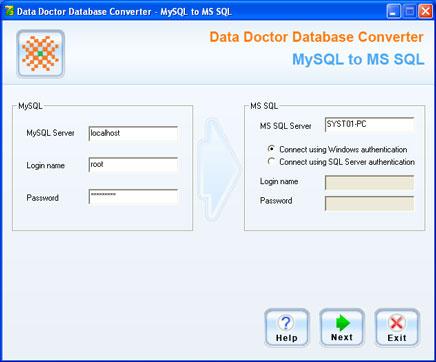
On the left panel of the screen, you need to connect with MySQL server which will be source database server.
-
To connect MySQL server, you need to enter MySQL server type with Login name and Password which is specified at the time of MySQL Server installation in your computer.
On the right panel of the screen, you need to connect with MSSQL server which will be destination database server.
- You can easily connect MS SQL server using Windows authentication or SQL Server authentication.
After connecting Source (MySQL) and Destination (MSSQL) database server, click on “Next” button to continue the database conversion process.
