
Store Management
This option is used to create store where items are kept.
To create information about company store, click on “Masters > Store > Store Creation”, the following screen will be appeared:
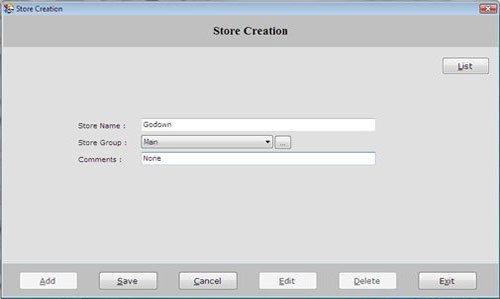
This screen contains the following fields:
-
Store Name: Enter the store name where the stock is to be kept.
-
Store Group: Select the Store Group which is created during Store Group creation.
-
Comments: Enter the special comment about the store.
After entering all the details, click on “Save” button to save the information
This screen contains the following buttons:
-
Add: To add new store.
-
Save: To save the records.
-
Cancel: To cancel particular operation.
-
Edit: To edit existing records.
-
Delete: To delete the record.
-
Exit: To exit from current window.
-
List: To display the list of all existing records.
To view the store detail, select the store from the list and press enter or double click.
To print the existing records, click on “Print” button.
